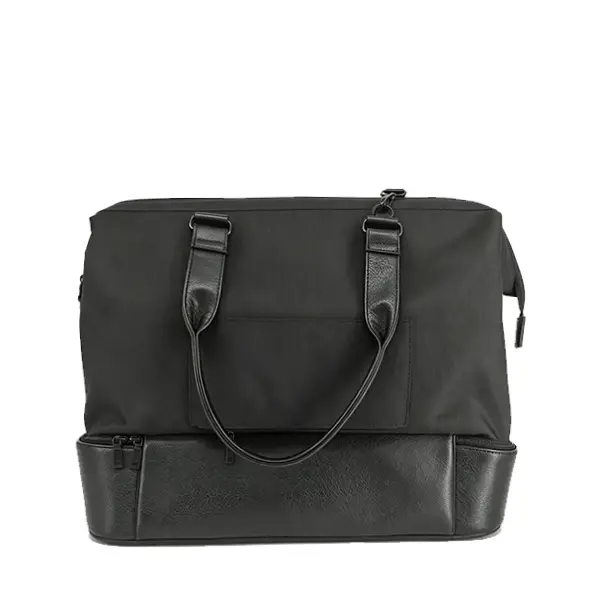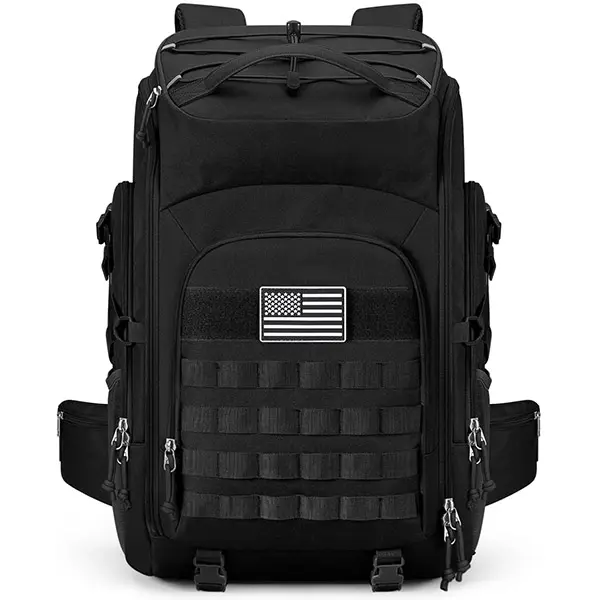
A laptop bag leaves the house light and comes home heavy. It starts with a computer and a charger; by mid afternoon it holds a water bottle, a lunch box, a folder of printouts, and a cable with no job left to do. That drift is why workdays end with an aching shoulder and a bag that will not close.
Pack seven items for an ordinary workday: the laptop in a suspended sleeve, one charger matched to its wattage with a short cable, a phone, a single adapter and cable set, a notebook with one pen, earphones, and a small pouch for medicine, lip balm and eye drops. Everything else is conditional. A client meeting adds a five item pouch, an overnight trip replaces half the list, and anything unused for two weeks leaves permanently.
The list is short because the arithmetic behind it is unforgiving, and the sections below work through that arithmetic one decision at a time.
The Daily Core: Seven Items That Earn Their Weight
An item belongs in the daily core of a laptop bag only if its absence would stop work that same day. By that test seven items qualify, and they weigh between 20 grams and 1.8 kilograms each.
| Item | Typical weight | What fails without it | Desk substitute available |
| Laptop with sleeve | 1.2 to 1.8 kg | Everything | No |
| Charger and short cable | 180 to 350 g | The laptop dies by 4 pm | Often, if one lives in a drawer |
| Phone | 170 to 250 g | Calls, tickets, access codes | No |
| Adapter and cable set | 60 to 120 g | Projectors, card readers, wired networks | Sometimes, in a meeting room |
| Notebook and one pen | 150 to 250 g | Notes you will not type | Paper from a printer |
| Earphones | 20 to 60 g | Calls on a shared floor | Not realistically |
| Small pouch | 80 to 150 g | Headache or dry eyes at 3 pm | A pharmacy down the street |
The right column of that table is the one buyers ignore. Anything a building already supplies is a candidate for removal rather than duplication.
Why the list stops at seven
Every extra item costs 100 to 300 grams, and the bag is carried for eight hours, not the ten seconds it takes to drop something in.
The pouch is the item most often cut and most often missed. Screen work changes how eyes behave: the American Academy of Ophthalmology notes that blinking falls from roughly 15 times a minute to between 5 and 7 during computer use, which is why eyes feel gritty by late afternoon. Artificial tears, a painkiller and a plaster together weigh less than a phone case.
Pack in Layers, Not in a Pile
Load the bag in three layers: the back panel takes the heaviest and most rigid item, the main compartment takes soft bulk, and the front and top pockets take whatever you reach for more than twice an hour.
Layer order decides more than capacity does. The item placed against the back sets the centre of gravity for the whole load, and a bag packed in that order still closes on the days it is overfilled.
The back panel and the laptop
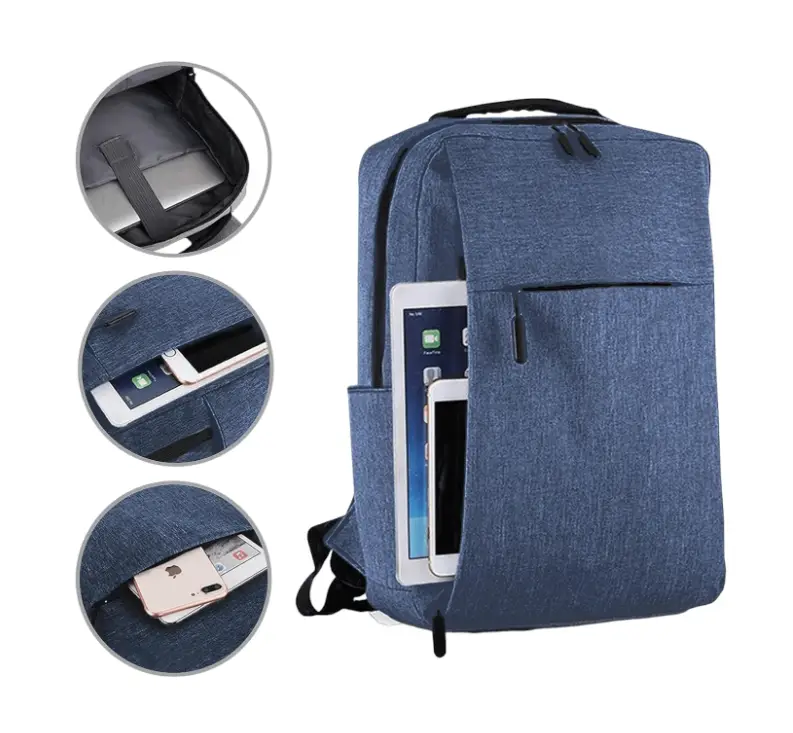
A suspended sleeve holds the lower edge of the device a centimeter or two above the bottom panel, so a bag set down hard transfers shock into foam and webbing instead of into the corner of a screen. A flat pocket stitched to the lining offers only the padding behind it.
The main compartment and the one bag rule
Soft items fill the middle: a folded layer, a notebook, a cable pouch. Heavy items go low and close to the back, and nothing rigid sits against the screen. Food needs its own rule, since a leaking container beside a laptop is a repair bill, and one bag is worth consolidating into only when it has a compartment that wipes out.
Front pocket discipline
Front pockets work when they hold flat things: cards, a pass, a phone, a pen. They stop working when a charger or a water bottle is forced in, because the bulge pushes the lining against the laptop. The layout that makes these zones possible, bound seams and a sleeve sewn as a separate unit, is a construction decision rather than an accessory, one of the bag manufacturing services that separates a daily bag from one assembled around a look.
One Bag, Three Days
Office days subtract from the core, client days add a five item pouch, and travel days move documents to the outermost pocket. The bag stays the same while the load swings by roughly 400 grams either way.
| Day type | Add | Remove | Weight change |
| Office | Water bottle, ID card | Charger if a drawer copy exists | Down 300 to 500 g |
| Client | Documents, cards, tested pen, display adapter, screen cloth | Earphones, anything edible | Up 400 to 700 g |
| Travel | Passport, boarding pass, plug adapter, cable pouch | Lunch, heavy notebook | Up 200 g, moved forward |
Office day: subtract before you add
A fixed desk argues for a second charger, a second pair of glasses and a spare cable left behind on arrival. The bag gets lighter without anything being given up, because those items were never needed in transit.
Client day: the five item pouch
Meetings change what the bag shows as much as what it holds. A pouch packed once removes the morning scramble: documents in a slim folder, cards if the client expects them, a pen tested that morning, an adapter for the room’s display, and a cloth for the screen. Charge the laptop and the power bank the night before, because a dead battery in a lobby is a failure no bag can fix.
Travel day: documents within reach
Everything a check-in counter or a security lane asks for goes in the pocket a hand finds without looking: passport, boarding pass, and the laptop where it lifts out first.
The Weight Budget Nobody Calculates
Keep the loaded bag under 10 percent of body weight. For a 70 kilogram adult that ceiling is 7 kilograms, and a bag with a laptop, water and lunch approaches it faster than most people expect.
| Stage of the day | Added weight | Running total |
| Empty bag, 20 to 25 liters | 0.9 kg | 0.9 kg |
| Laptop, sleeve, charger | 1.75 kg | 2.65 kg |
| Phone, pouch, adapter set | 0.35 kg | 3.0 kg |
| Water bottle, full | 0.75 kg | 3.75 kg |
| Lunch box | 0.7 kg | 4.45 kg |
| Client folder and cards | 0.55 kg | 5.0 kg |
Five kilograms on one shoulder for an hour is a different experience from five kilograms split across two straps. Guidance from Ohio State Wexner Medical Center puts the limit at 10 percent of body weight for adults as well as children, recommends placing laptops closest to the back, and notes that a bag hanging low forces the shoulders to carry more. When the total passes the limit, cut water, paper and duplicate chargers before anything that does work.
Strap width, not capacity
Wide, padded, adjustable straps spread pressure across the shoulder and upper back, a chest strap stops the load shifting, and a bag sized to the list stops the collection from growing. A laptop backpack manufacturer working from a defined load will size the sleeve and strap anchors around it, which beats adding another pocket.
What to Put in a 24-Hour Bag
An overnight bag is packed to avoid a checked bag, not to reproduce a desk. Keep the work layer, replace the clothing and toiletry layer, and move documents to the outside.
The objective changes, so the list changes with it. A commuter bag carries a day of work; a 24 hour bag carries one night of living, and the two sets of items overlap in only three places.
The overnight swap
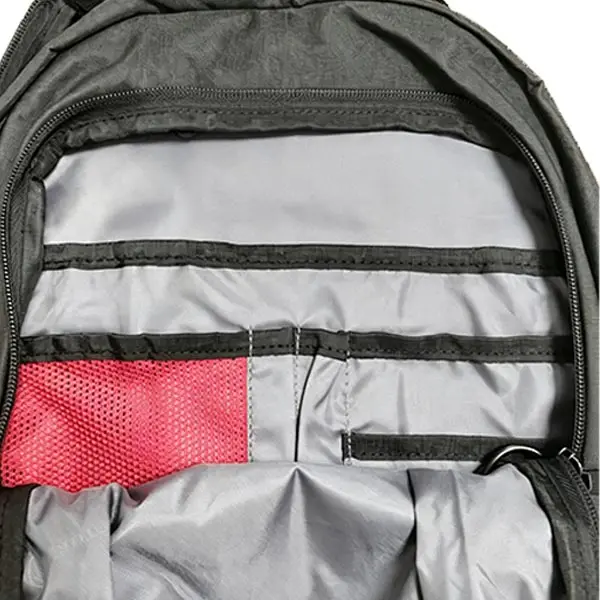
One change of clothes rolled rather than folded, a toiletry kit in containers small enough to pass screening, a phone charger, and whatever makes sleep possible in an unfamiliar room. The work layer shrinks to the laptop, one charger and the notebook. A bag built for this trip has a clamshell opening, a separate shoe or laundry section and a trolley sleeve, which is the difference between a travel bag manufacturer designing for a journey and a commuter bag pressed into service.
Liquids, chargers and security
Liquids go in containers of 100 milliliters or less inside one clear bag, which is the limit most security regimes still apply. Power banks travel in the cabin, never in a checked bag, and the laptop should sit where it lifts out without unpacking everything else. The habit that saves most time is packing the tray in reverse order: laptop first out, shoes next, the rest last.
The Tech That Fails Quietly
Meetings fail on power rather than hardware. A charger below the laptop’s rated wattage, a cable that charges a phone but not a computer, and a power bank left at home cost more afternoons than any software problem.
| Device | Rated draw | Charger to carry | Common mistake |
| 13 to 14 inch laptop | 45 to 65 W | Matching USB-C power delivery unit | Using a 20 W phone charger |
| 15 to 16 inch laptop | 90 to 140 W | Original brick or equivalent | Assuming one charger covers two laptops |
| Phone | 20 to 30 W | Shared with the laptop charger | Carrying a second brick |
| Power bank, 20,000 mAh | About 74 Wh | None, charged at home | Leaving it in a checked suitcase |
Aviation rules put a ceiling on the last row. The FAA PackSafe guidance requires power banks and spare lithium batteries under 160 watt hours to stay in the cabin, and forbids anything above that on passenger aircraft. Watt hours equal milliamp hours times volts divided by 1,000, so a 20,000 mAh bank at 3.7 volts sits near 74 Wh, enough for two phone charges.
Standardizing on one connector turns four cables into two. Carry one short cable, which coils into a pocket, and one spare tied with a hook and loop strap.
What to Leave Out, and How to Decide
Apply a two-week test to everything outside the core: if an item has not been used in fourteen days, remove it, then weigh the bag and compare the number with last month.
| Commonly carried | Weight | Verdict | Replacement |
| Second charger | 250 g | Out | One for the desk drawer |
| Paper copies of files on the laptop | 300 to 600 g | Out | One shared folder |
| Full size mouse | 100 to 150 g | Out unless design work | Travel mouse at 60 g |
| Spare notebook | 200 g | Out | One notebook, used to the last page |
| Umbrella | 300 to 450 g | Conditional | Keep one at the office |
| Gym kit | 1.2 kg | Out of the work bag | Separate bag on training days |
Ten minutes at the end of the week prevents the accumulation that makes a bag unmanageable by Friday: empty it, wipe the lining, put back only what was used, and recalculate the weight once a season.
Turning the Pack List Into Bag Specs
Once the list is stable, the specification writes itself: a sleeve 1 to 2 centimeters larger than the device, 8 to 10 millimeters of foam behind it, a base that keeps the laptop off the floor, and a shell that sheds a light shower.
| Load requirement | Bag structure | Value for the tech pack |
| 16 inch laptop with sleeve | Suspended compartment | Interior 27 x 38 x 3 cm, base raised 20 mm |
| Drop protection | Back panel foam | 8 to 10 mm closed cell, plus 5 mm on the base |
| Rain and spills | Shell and zipper | 600D recycled polyester, water resistant coating, covered zipper |
| Charger, pouch, cables | Front organizer | Three elastic loops, one zipped pocket 20 x 12 cm |
| Lunch or a change of clothes | Separate compartment | Wipeable lining, leak resistant base seam |
| Airport days | Trolley sleeve | 20 cm strap, fits a 22 cm handle |
These are the numbers a factory quotes against, which is why a brief written as a list of items yields a better sample than a mood board. Buyers assembling a private label program find that two decisions, the sleeve tolerance and the foam thickness, decide whether the bag feels expensive. A capable OEM bag manufacturer will question the list before quoting, because a 16 inch sleeve and a 14 inch sleeve differ by a pattern and a carton, not by a color.
Frequently Asked Questions
How heavy should a laptop bag be when it is empty?
For a 20 to 25 liter commuter bag, 0.7 to 1.4 kilograms is a normal range. Above 1.6 kilograms the weight usually comes from hardware, full grain leather or a frame, which can be justified but should be deliberate. Weigh the bag empty before buying, then add the daily core.
Can one bag replace a laptop bag and a lunch bag?
Only if it has a compartment that wipes clean and a base seam that will not wick liquid toward the laptop. A shared main compartment is a leak waiting to happen, and the smell of food in a fabric lining outlasts the meal by days. A slim insulated pouch inside the bag is a workable compromise.
Which part of an inexpensive laptop bag fails first?
The zipper and the sleeve, in that order. A coil zipper on an overfilled bag separates at the curve, and foam that is too thin compresses within months, leaving the laptop resting on the base panel. Stitching at the strap anchor comes third, and it is visible: look for a box and cross pattern rather than a single line.